Why WordPress REST API Simplifies Publishing for Developers and Editors
Imagine a world where publishing content across multiple WordPress sites becomes as effortless as flipping a switch. No more manual uploads, no tedious copy-pasting, and certainly no need to juggle different login credentials or formats. The secret weapon behind this level of automation isn’t some futuristic fantasy; it’s the WordPress REST API—and it’s fundamentally transforming how marketers and content creators handle multi-site management. But what makes it so powerful, and how can you harness it to boost your SEO, streamline content creation, and ultimately drive more traffic? That’s what we’re diving into today. The reality is, in an era where content is king, the ability to publish quickly and efficiently across multiple platforms isn’t just a luxury; it’s a necessity. The old methods—logging into each site, manually uploading posts, optimizing for SEO individually—are not only time-consuming but also prone to errors. The WordPress REST API offers a solution that’s as elegant as it is practical: a system that allows you to automate publishing, update content in real time, and manage multiple sites from a single control point. Whether you’re managing a handful of blogs, a network of niche websites, or an enterprise-level multi-site setup, understanding how to leverage the WordPress REST API can be a game-changer. It empowers you to integrate AI-driven content creation tools, automate SEO optimization, and even deploy AI-generated content directly into your sites—all without breaking a sweat. This article will explore why the WordPress REST API is the key to effortless publishing, how it works under the hood, and actionable strategies to maximize its potential. Expect real-world examples, practical tips, and insights backed by industry trends. Because in the end, the goal isn’t just to automate for the sake of it; it’s to create smarter, faster, and more effective content systems that serve your audience better.
Understanding the Power of the WordPress REST API
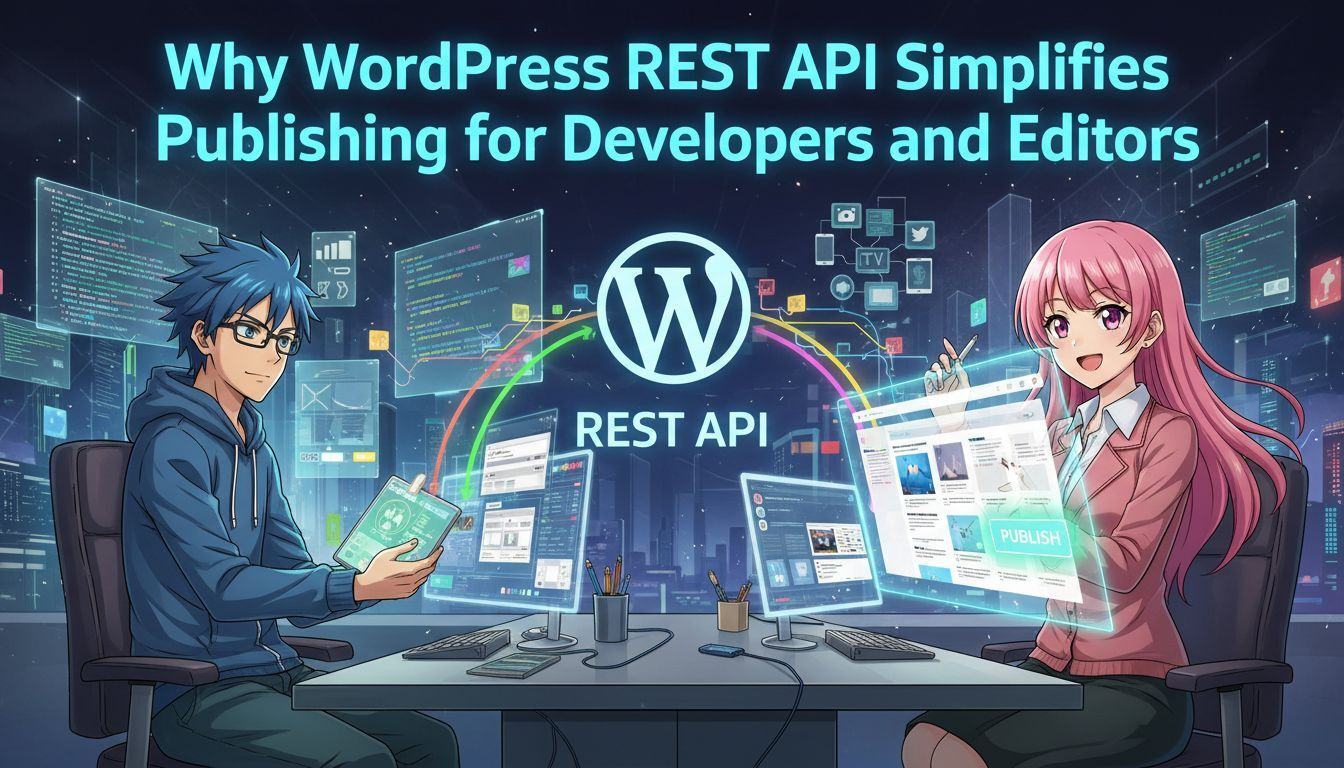
The REST API (Representational State Transfer Application Programming Interface) is essentially a set of rules that allows different software systems to communicate smoothly. Think of it as a universal translator—letting your custom tools, AI content generators, and other apps talk directly to your WordPress sites without needing to log in manually or mess with plugins. For years, WordPress was seen primarily as a simple blogging platform. But with the REST API, it’s become a robust system capable of supporting complex integrations. You can create, read, update, and delete content across multiple sites through a single interface, all in real-time. This capability unlocks a host of possibilities—especially when paired with AI-powered tools for content creation and SEO optimization. Imagine deploying AI-generated articles to multiple sites with different languages, tailored to local audiences, all via automated workflows. The API makes this feasible by providing a secure, scalable bridge between your content system and your WordPress installations.
Why Marketers Should Care
For marketing teams, the REST API isn’t just a tech novelty—it’s a strategic asset. It reduces the bottleneck of manual publishing, accelerates content rollout, and ensures consistency across platforms. When combined with AI content generators, it allows you to produce and publish content at a scale previously thought impossible. Here’s a quick list of benefits:
- Automate multi-site content publishing with a few lines of code or integrations.
- Maintain consistent branding and messaging across different languages and markets.
- Integrate AI tools to generate, optimize, and publish SEO-friendly content automatically.
- Save time and reduce human error by centralizing control over multiple sites.
- Track and update content in real-time, ensuring your audience always sees the latest info.
Real-world examples abound. For instance, a company managing dozens of localized blogs can push updates and new articles simultaneously, ensuring all sites stay current without individual manual effort. This approach is particularly effective when coupled with AI content creation systems like HitPublish.ai, which can generate multilingual content, optimize SEO, and directly feed into your WordPress system via the REST API.
How the REST API Works Behind the Scenes
Understanding the nuts and bolts helps in deploying the API effectively. At its core, the REST API exposes endpoints—specific URLs—that represent different parts of your WordPress site, such as posts, pages, users, or media. Using standard HTTP methods like GET, POST, PUT, and DELETE, you can perform actions on these endpoints programmatically. For example, to create a new blog post on a site, your system sends a POST request to the /wp-json/wp/v2/posts endpoint with the content payload. The API then processes this request, creates the post, and returns a confirmation. Automating this process across multiple sites involves scripting these requests or integrating them with workflow tools. One of the most compelling features is the ability to authenticate securely. Using OAuth or application passwords, your automation system can access your sites without exposing sensitive credentials. This security layer is crucial for scaling operations and maintaining control. By leveraging this architecture, you can set up workflows that automatically fetch AI-generated content, optimize it for SEO, and publish it across all your WordPress sites in one go. The process becomes seamless—saving hours of manual labor and reducing the risk of inconsistencies.
Case Study: Multi-Language Content Deployment
Consider a global brand with websites in English, Spanish, French, and Japanese. Traditionally, creating and publishing content in all these languages would require separate efforts, often leading to delays and inconsistent messaging. With the REST API, combined with AI translation and content generation tools, a marketer can create one master article, translate it using AI, optimize for local SEO, and deploy it across all sites—automatically and simultaneously. This approach ensures that each regional site is updated with the latest content, tailored for local audiences, without the need to manually upload each version. The API acts as the backbone of this system, enabling true multi-site automation.
Maximizing SEO and Content Creation with AI
The integration of AI tools with the WordPress REST API opens new horizons in content marketing. AI content generators can produce articles, product descriptions, or blog posts tailored to specific keywords and audience preferences. When combined with API-driven publishing, this process becomes both scalable and efficient. For example, AI can generate a batch of SEO-optimized articles targeting long-tail keywords. These articles can then be pushed directly into your WordPress sites using API calls. You can also automate SEO tasks such as meta tags, schema markup, and internal linking—further boosting site visibility. In practice, tools like HitPublish.ai make this even easier. They allow you to create AI content, optimize it for SEO, and publish across multiple sites with minimal manual intervention. This level of automation not only saves time but also enhances your ability to rank higher in search results, increasing site traffic.
Actionable Tips for Marketers
– Use API authentication methods like OAuth to keep your systems secure. – Automate content workflows with scripts or platforms like Zapier, which can interface with the REST API. – Leverage AI content creation tools to generate multilingual, SEO-optimized content in bulk. – Regularly audit your API integrations to prevent errors and ensure security. – Test publishing workflows in staging environments before going live to avoid disruptions.
Trade-offs and Limitations
While the potential is enormous, it’s important to acknowledge some caveats. API integrations require technical know-how—at least some familiarity with scripting or API management. Security is another concern; mishandling authentication tokens can expose your sites to risks. Additionally, AI-generated content still needs oversight. It may produce errors or lack the nuance of human writing. Proper review workflows are essential to maintain quality and brand voice. Finally, depending on your hosting environment, API rate limits or server performance could bottleneck your automation. Planning for scalability and backup options is crucial.
Future of Content Publishing with WordPress and AI
The combination of WordPress REST API and AI content systems will only become more integrated and sophisticated. As AI models improve, they will generate more natural, engaging content that requires less editing. Meanwhile, API enhancements will facilitate real-time, multi-language, multi-platform publishing—further shrinking the gap between content creation and distribution. Marketers who adopt these tools early will gain a competitive edge, able to respond swiftly to market trends and audience demands. The ability to automate SEO optimization, content creation, and multi-site management through a unified system is no longer a luxury but a necessity for scaling digital efforts.
Final Takeaways and Next Steps
– Invest in understanding the WordPress REST API and its capabilities. – Pair it with AI content generators like HitPublish.ai to automate multilingual, SEO-friendly content creation and publishing. – Develop workflows that automate updates across your entire site network, saving time and reducing errors. – Continuously monitor and optimize your API integrations for security and performance. – Stay informed about new API features and AI advancements to keep your systems cutting-edge. By embracing these technologies, you’re not just automating; you’re building a smarter, faster content system that can adapt and scale with your business. The future of effortless publishing is here, and it’s powered by a smart combination of APIs and AI.
“Automating content workflows with APIs and AI is transforming how businesses manage their digital presence, enabling faster deployment and better SEO performance.”