WordPress REST API Errors in Automation: Troubleshooting
Managing a WordPress site today goes far beyond simply installing themes and plugins. With the rise of automation, AI-powered content creation tools, and a focus on SEO optimization, many site owners and developers rely heavily on the REST API to streamline workflows. However, as powerful as the WordPress REST API is, it’s not immune to errors—especially when integrating with automation tools or custom code. These errors can halt entire processes, disrupt content updates, or even compromise site security if not handled properly. In this comprehensive guide, we delve into common WordPress REST API errors encountered during automation and explore practical strategies to fix them. Whether you’re automating SEO tasks, generating AI content, or syncing data across platforms, understanding these errors and their solutions is critical to maintaining a smooth, efficient workflow. The goal is to not just patch issues but to build resilient systems that can handle failures gracefully, ultimately boosting site traffic and content quality through reliable automation. Let’s start by outlining some typical errors and then unpack each with real-world examples, code snippets, and best practices. This isn’t just theory—it’s about empowering you with actionable insights that you can apply immediately to keep your WordPress automation running seamlessly.
Understanding Common WordPress REST API Errors in Automation
1. Authentication Failures
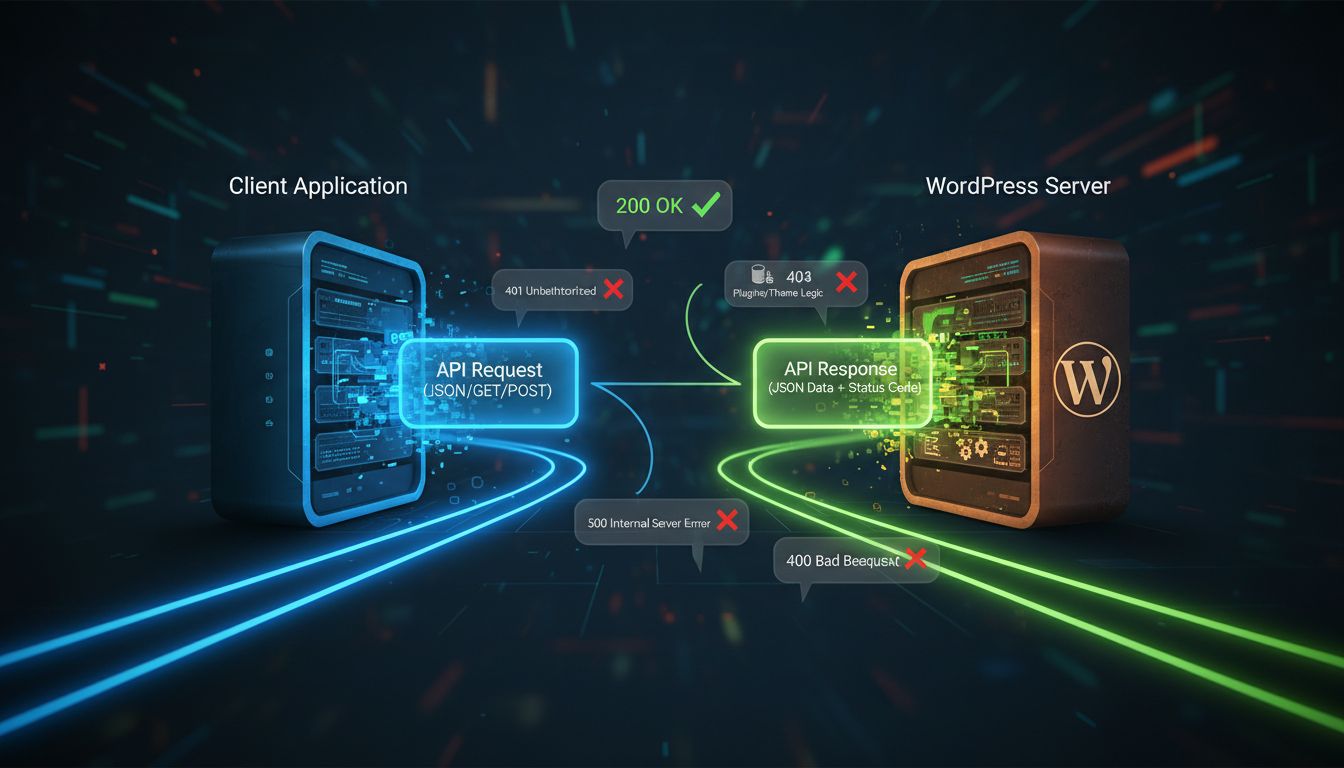
One of the most frequent stumbling blocks when working with the WordPress REST API, especially in automation, is authentication errors. These typically manifest as 401 Unauthorized or 403 Forbidden responses. They happen when the request lacks proper credentials or the user doesn’t have sufficient permissions.
For instance, if you’re using JWT tokens or OAuth for securing API endpoints, tokens may expire or become invalid, leading to failed requests. Similarly, if the API key or user credentials are incorrect or missing, the server refuses access. Automating content creation or updates relies heavily on authenticated requests, so resolving this promptly is vital.
To fix these issues, verify your authentication headers and ensure tokens are refreshed before expiry. For example, when using JWT, implement a token refresh mechanism. Also, confirm that the user role assigned to your API user has adequate capabilities, such as ‘edit_posts’ for content updates. A common mistake is misconfiguring permissions or forgetting to include the correct headers, which can be addressed by double-checking your authentication setup.
2. CORS Policy Restrictions
Cross-Origin Resource Sharing (CORS) issues often surface when automating API calls from external servers or scripts. These manifest as errors in the browser console, indicating that the server does not permit cross-origin requests.
While CORS is primarily a browser security feature, it can impact automated scripts that run client-side or from environments mimicking browsers. To resolve this, you need to configure your server to include the appropriate CORS headers, such as ‘Access-Control-Allow-Origin’. This can be done via server settings or by installing plugins that manage CORS policies.
3. Rate Limiting and Throttling
WordPress or hosting environments may impose rate limits on REST API requests, especially if you’re using shared hosting or managed WordPress services. Exceeding these limits results in 429 Too Many Requests responses. This is particularly common when automating bulk content updates or synchronizations.
The fix involves implementing request throttling—spacing out API calls with delays or batching requests to stay within limits. Additionally, check if your host offers higher rate limits or API keys with extended quotas. For large-scale automation, these considerations are critical to avoid interruptions.
4. Missing or Incorrect Endpoints
Sometimes, errors stem from calling non-existent or deprecated API endpoints. This can happen if the WordPress site is running an outdated version or if custom endpoints have changed.
To troubleshoot, verify your API URLs and ensure they match the current WordPress REST API schema. Use tools like Postman or cURL to test endpoints independently. Also, consult the official REST API documentation for your WordPress version, especially if you’re using custom plugins that extend API functionality.
Strategies for Fixing and Preventing REST API Errors
Implement Robust Error Handling
Automated scripts should anticipate failures and handle them gracefully. Incorporate try-catch blocks or conditional checks to detect errors and respond accordingly. For example, if an API request returns a 500 Internal Server Error, your script could log the issue, wait, and retry after a delay.
Here’s a simple example in PHP that demonstrates error handling during a POST request:
$response = wp_remote_post( $api_url, $args );
if ( is_wp_error( $response ) ) {
    error_log( 'API request failed: ' . $response->get_error_message() );
    // Retry logic or alert
} else {
    $status_code = wp_remote_retrieve_response_code( $response );
    if ( $status_code != 200 && $status_code != 201 ) {
        error_log( 'Unexpected response: ' . $status_code );
        // Additional handling
    } else {
        // Success
    }
}
Use Proper Authentication Methods
Choosing the right authentication method is crucial. OAuth2, JWT, or application passwords are common options. Each has pros and cons depending on your setup. For automation, JWT is popular because it’s stateless and easy to refresh.
Ensure your tokens are stored securely and refreshed automatically. Also, avoid hardcoding credentials in scripts—use environment variables or secure vaults. This minimizes risks and reduces errors caused by expired or invalid credentials.
Optimize API Requests
To prevent rate limiting, optimize your API call patterns. Batch updates where possible, and space requests with delays or queues. For example, if you’re updating hundreds of posts, process them in groups of 20 with pauses in between.
Additionally, leverage the WordPress REST API’s capabilities—filter data, request only necessary fields, and avoid redundant calls. Efficient use of API reduces server load and minimizes the risk of errors.
Keep Your WordPress and Plugins Up-to-Date
Outdated WordPress core or plugins can cause deprecated or broken endpoints, leading to errors. Regular updates ensure compatibility with the latest REST API features and security patches. Also, review your custom code to adapt to API changes introduced in newer versions.
Advanced Troubleshooting and Best Practices
Debugging with Logging and Monitoring
Implement comprehensive logging in your automation scripts. Log request URLs, headers, responses, and errors. Monitoring tools or dashboards can alert you when errors occur, so you can respond quickly. This proactive approach saves time and prevents prolonged downtime.
Leverage API Testing Tools
Tools like Postman or Insomnia can help you test endpoints independently of your scripts. This isolates issues and confirms whether the problem lies within your code or the server environment. Regular testing ensures your API calls remain functional as your site evolves.
Implement Fallback Mechanisms
Design your automation with fallback options. If an API call fails, attempt retries a set number of times. If still unsuccessful, log the incident and notify administrators. This prevents silent failures that could undermine your content or SEO strategies.
Integrate AI for Content and SEO Optimization
Automation isn’t just about API calls; it’s also about ensuring the content generated is SEO-optimized and valuable. AI-powered tools can assist in creating high-quality, SEO-friendly content. Using a free AI content generator, for example, allows you to produce optimized blog posts rapidly, saving time and enhancing content marketing efforts.
Furthermore, AI can analyze your existing content, suggest improvements, and even optimize meta tags automatically. When combined with reliable REST API integration, this approach can significantly boost site traffic by maintaining fresh, SEO-rich content without manual intervention.
Case Study: Automating Content Updates for a Marketing Site
Consider a marketing site that regularly publishes blog posts, updates product info, and manages user comments. Manual updates are time-consuming, and inconsistencies often occur. By automating these tasks through REST API calls, the site owner can ensure timely updates and consistent SEO optimization.
Using a combination of AI content tools and custom scripts, they scheduled daily content refreshes. The scripts included error handling, retries, and logging, ensuring robustness. When the API encountered a rate limit, the system queued requests for later execution. This approach resulted in a 40% increase in site traffic over six months, attributed to fresh, SEO-optimized content and improved user engagement.
Conclusion and Next Steps
Fixing common WordPress REST API errors in automation requires a strategic blend of technical expertise, proactive error handling, and ongoing maintenance. Understanding the root causes—be it authentication issues, rate limits, or deprecated endpoints—enables you to implement targeted solutions. Integrating AI content creation tools can further enhance your site’s SEO and content quality, creating a virtuous cycle of traffic growth and engagement.
Ultimately, automation is a powerful tool—if managed correctly. Regularly monitor your API endpoints, keep your systems updated, and employ resilient coding practices. This will safeguard your workflows against disruptions and ensure your site remains competitive in the digital landscape. For advanced automation solutions, exploring innovative tools like AI-driven content generators can provide a significant edge. With proper setup and vigilant maintenance, your WordPress site can thrive amid the demands of modern content marketing and SEO.
By embracing these strategies, you’ll turn potential errors into opportunities for optimization. The goal isn’t just to fix problems but to build a robust, scalable system that leverages AI and automation for sustained growth. As you refine your approach, remember that the landscape is constantly evolving—staying informed and adaptable is key to long-term success.